
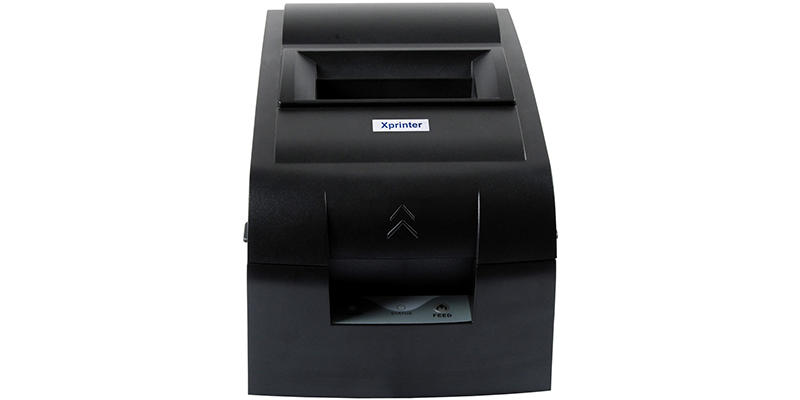

Connectivity determines how a compact printer communicates with the device that creates bills and receipts. For small shops, restaurants, cafés, kiosks, and mobile businesses, choosing the right connection can make everyday printing more convenient and reliable.
A Mini Bill Printer may support one or more connection methods, including Bluetooth, Wi-Fi, USB, and other interfaces. The most suitable option depends on the POS system, mobile devices, network environment, and workflow in which the printer will be used.
Why Connectivity Matters
A printer needs a reliable way to receive print data from a POS terminal, smartphone, tablet, computer, or other compatible device. An unsuitable connection can lead to pairing difficulties, interruptions, or compatibility problems.
The right connectivity option should provide a stable connection while fitting naturally into the business’s existing equipment and software.
Bluetooth Connectivity
Bluetooth is a common choice for compact printers because it can connect directly with nearby smartphones, tablets, and other compatible devices.
Benefits of Bluetooth
Bluetooth can be useful when employees need a simple short-range connection without setting up a local network. It is particularly practical for mobile POS systems and small workstations.
However, Bluetooth has a limited operating range, and connection performance can vary depending on the environment and connected devices.
Wi-Fi Connectivity
Wi-Fi allows a printer to communicate through a wireless network. This can be useful in restaurants, retail stores, and other environments where multiple devices need to communicate with printing equipment.
Benefits of Wi-Fi
A network connection can provide greater flexibility than a direct short-range connection. Depending on the system, multiple authorized devices may be able to send print jobs to a printer through the same network.
Wi-Fi setup can be more involved than Bluetooth, so businesses should ensure that the printer is compatible with their existing network configuration.
USB Connectivity
USB provides a wired connection between the printer and a compatible device. It is commonly used when the printer remains in a fixed position and a direct connection is preferred.
Benefits of USB
A wired connection can provide stable communication without relying on wireless signals. It can also be useful during setup, troubleshooting, or environments where wireless connectivity is restricted.
The main limitation is reduced mobility because the connected device needs to remain physically linked to the printer.
Multiple Connectivity Options
Some compact printers support more than one connection method. For example, a printer may provide both USB and Bluetooth, allowing businesses to use a wired connection at a counter and a wireless connection when mobility is required.
Having multiple options can also provide flexibility if the business changes its POS hardware or operating setup in the future.
Connectivity and POS Compatibility
Choosing a connection method is only part of the decision. The printer must also be compatible with the POS software and operating system used by the business.
Before purchasing, verify support for:
- POS applications
- Smartphones and tablets
- Windows or other supported operating systems
- Communication protocols
- Required printer drivers or software
- Available connection interfaces
Compatibility should be confirmed for both the printer and the software responsible for sending print jobs.
Which Connection Is Best for Your Business?
The ideal option depends on how and where the printer will be used.
Bluetooth may be suitable for short-range mobile printing with smartphones or tablets.
Wi-Fi can be useful for networked environments where several devices need access to printing equipment.
USB is often appropriate for a stable, direct connection at a fixed workstation.
For businesses with changing requirements, a printer that supports multiple connection methods may offer greater flexibility.
Factors That Can Affect Wireless Performance
Wireless connections can be influenced by physical obstacles, network conditions, nearby electronic equipment, and device compatibility. A printer should therefore be tested in its actual operating environment when possible.
Keeping compatible software and firmware updated may also help maintain reliable communication, provided updates are supported by the manufacturer.
Security Considerations
Wireless printing should be configured with appropriate security measures. This is particularly important when the printer handles transaction records or other business information.
Businesses using Wi-Fi should follow their normal network security practices. Bluetooth devices should also be paired only with authorized equipment.
Conclusion
Mini bill printers can use different connectivity methods to receive printing data from POS terminals, mobile devices, and computers. Bluetooth, Wi-Fi, and USB each have different strengths, and the best choice depends on the business’s location, equipment, mobility requirements, and software.
Before purchasing, businesses should check both connection specifications and system compatibility. Selecting a printer with the right connectivity can help create a smoother and more dependable billing workflow.