
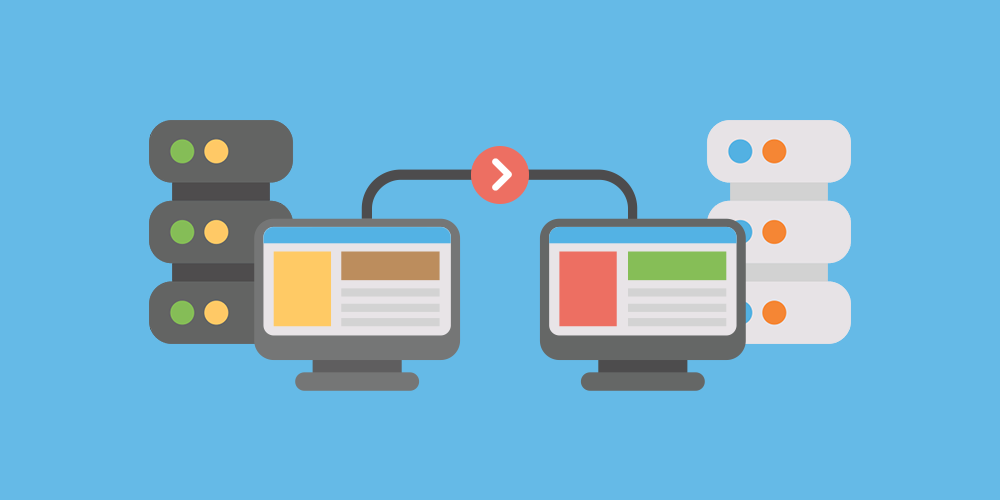

Moving a website to a new hosting provider, domain, or content management system can create opportunities to improve performance, security, and scalability. However, the process also involves technical challenges that can affect website functionality, search engine visibility, and business operations. Without proper preparation, even a routine migration can result in missing content, broken links, unexpected downtime, or lost customer information.
A professional Website Migration Service can help businesses identify potential problems, protect essential data, and manage the transition more carefully. Whether you are moving a WordPress website to a new server or redesigning an established online store, understanding the most common migration risks allows you to prepare effective safeguards before making changes.
Why Website Migration Requires Careful Planning
Website migration involves transferring or changing important parts of an online environment. Depending on the project, this may include website files, databases, domain settings, server configurations, URLs, security certificates, and third-party integrations.
Each component must work correctly in the new environment. A website may appear to load normally while still containing missing images, broken forms, incorrect redirects, or database problems that affect certain functions.
The level of risk depends on the website’s complexity. A small informational website may require only a few straightforward checks, while an e-commerce platform or high-traffic business website needs more extensive testing and coordination.
Planning the migration in advance helps you identify dependencies, establish a recovery strategy, and reduce the likelihood of disruptions.
1. Risk of Data Loss During Migration
Data loss is one of the most serious website migration risks. Files may fail to transfer completely, database imports may encounter errors, or important records may be overlooked during the process.
For WordPress websites, essential data can include posts, pages, user accounts, media uploads, plugin settings, and database records. Online stores may also contain customer information, inventory details, and order histories that require careful handling.
How to Reduce Data Loss Risks
Create a complete backup before starting the migration. This should include website files, databases, uploaded media, configuration files, and other essential components.
Store a backup copy outside the existing hosting environment so that it remains accessible if the original server becomes unavailable. Whenever possible, verify that the backup can be restored successfully.
After transferring the website, compare the migrated version with the original. Check important pages, media libraries, user records, product information, and other relevant data.
For websites that continue receiving orders, bookings, or form submissions during the migration, plan how new records will be transferred or reconciled. A final database synchronization or carefully scheduled maintenance window may be necessary to avoid losing recent information.
2. Unexpected Website Downtime
Downtime occurs when visitors cannot access the website or when important features stop working during the transition. It may result from incorrect DNS settings, server configuration problems, failed file transfers, or issues with the new hosting environment.
Even a short interruption can affect customer confidence and business operations. For online stores and service-based businesses, downtime may also prevent purchases, bookings, and customer inquiries.
How to Minimize Downtime
Prepare the destination environment before directing visitors to it. Transfer the files and database, configure the application, and test important functions while the original website remains available.
Schedule the migration during a period of relatively low activity. If the website processes transactions or accepts registrations, determine how those activities will be handled during the transition.
Document the existing configuration and prepare a rollback plan before changing DNS settings. Keep the original hosting environment available until the new website has been verified.
DNS changes may take time to become visible to different users because of caching. Monitoring both environments during the transition can help identify problems that affect only certain visitors.
3. Broken URLs and Redirect Problems
Website migration sometimes changes page addresses, especially when moving to a new domain, changing platforms, or reorganizing website content.
If old URLs stop working without appropriate redirects, visitors may encounter error pages. Search engines may also need additional time to understand the new website structure, potentially affecting organic visibility.
Redirect mistakes can create additional problems. Incorrect destinations, redirect chains, and loops can make navigation confusing and complicate search engine crawling.
How to Reduce URL and Redirect Risks
Create a complete inventory of existing URLs before the migration. Identify important pages, landing pages, blog posts, and other resources that should remain accessible.
If URLs change, create a redirect map connecting each old address to the most relevant new destination. Permanent redirects, such as HTTP 301 responses, are generally appropriate when a page has moved permanently.
Avoid sending every old URL to the homepage. Instead, direct visitors to an equivalent page whenever a suitable replacement exists.
After launch, test the redirects and crawl the migrated website to identify broken links, unexpected status codes, and redirect loops. Update internal links so they point directly to the new URLs rather than relying unnecessarily on redirects.
4. Declining Search Engine Visibility
A website migration can affect SEO when search engines encounter changed URLs, missing content, incorrect canonical tags, or indexing restrictions.
For example, a staging website may have been intentionally blocked from search engines during development. If the same restriction remains after launch, important pages may not be crawled as intended.
Removing valuable content or failing to redirect established pages can also weaken the continuity between the old and new websites.
How to Protect SEO During Migration
Record important SEO information before making changes. This may include page titles, meta descriptions, canonical tags, XML sitemaps, organic traffic data, and high-value URLs.
After migration, verify that:
- Important pages return the expected HTTP status codes.
- Redirects lead to relevant destinations.
- Canonical tags reference the intended URLs.
- Robots directives do not unintentionally block important pages.
- The updated XML sitemap contains the appropriate URLs.
- Internal links and structured data use the correct addresses.
- HTTPS and preferred domain settings are consistent.
If the migration includes a domain change, review the relevant search engine migration guidance and update applicable properties and settings.
Use Google Search Console and website analytics to monitor indexing, crawl errors, organic traffic, and conversions after launch. Temporary fluctuations may occur, but sustained declines deserve investigation.
5. Compatibility Problems With Plugins and Applications
Websites often rely on plugins, themes, custom code, and third-party applications to provide essential features. These components may behave differently when moved to a server with different software versions or configuration settings.
For example, a plugin may depend on a particular PHP extension, while a custom application may require specific server permissions or database behavior.
If these dependencies are overlooked, some pages may display errors or important features may stop working.
How to Prevent Compatibility Issues
Before migration, document the website’s themes, plugins, custom scripts, and external integrations. Review the destination environment’s supported software versions and technical requirements.
Test the migrated website in a staging environment whenever possible. Pay particular attention to features that are essential to business operations, such as contact forms, booking systems, membership tools, and payment integrations.
Avoid updating every plugin or changing several major components simultaneously unless the project requires it. Separating migration work from unrelated upgrades makes it easier to identify the source of a problem.
After launch, review error logs and test key workflows to confirm that the website operates as expected.
6. Security Vulnerabilities During the Transition
Migration can introduce security risks if backups, administrator credentials, databases, or configuration files are handled carelessly.
For example, unsecured backup files may expose sensitive information, while temporary access credentials may remain active after the project is complete. Incorrect file permissions can also create unnecessary exposure.
Websites that process payments or collect personal information require particular attention to secure data handling.
How to Reduce Security Risks
Use secure transfer methods and restrict access to authorized personnel. Avoid sharing passwords or sensitive configuration details through unsecured channels.
Review administrator accounts and permissions before and after migration. Remove temporary accounts when they are no longer required, and update credentials if they were shared for the project.
Verify that the destination environment has a valid SSL/TLS certificate, appropriate access controls, and suitable security settings. Check that backups are stored securely and that sensitive files cannot be accessed publicly.
If the original website is compromised or contains outdated software, address the underlying security problems as part of a carefully planned remediation process rather than blindly copying the same vulnerabilities into the new environment.
7. Email Delivery and DNS Configuration Errors
Website hosting and email services may share the same domain but operate through separate systems. During migration, changes to nameservers or DNS records can accidentally disrupt email delivery or other connected services.
For example, replacing DNS records without preserving the correct mail exchange settings may prevent business emails from arriving. Other affected services may include domain verification, subdomains, analytics integrations, and external applications.
How to Protect Email and DNS Services
Document the existing DNS configuration before making changes. Identify which records belong to the website and which support email or other services.
Review A, AAAA, CNAME, MX, and TXT records as applicable. Confirm whether email will remain with the current provider or move to a new service, and configure the records accordingly.
After the migration, test website access, email sending and receiving, and any important connected services. If the domain uses email authentication records, verify that the relevant settings remain correct.
Do not assume that transferring the website automatically transfers email accounts or mailboxes. These may require a separate migration plan.
8. Slow Performance After Migration
Moving to a new hosting provider does not guarantee faster performance. The destination environment may have different resource limits, caching behavior, database performance, or server configuration.
Performance can also suffer if the migration introduces inefficient settings, missing optimization tools, or unnecessary background processes.
How to Maintain Website Performance
Record baseline performance measurements before the migration so you have a reliable comparison point.
Check the new hosting environment’s available resources and confirm that it supports the website’s expected workload. Test page loading times, server response times, and important user journeys after the transfer.
Review caching, image optimization, database performance, and content delivery network settings where relevant. Confirm that optimization tools are compatible with the new environment.
Avoid making unrelated performance changes during the migration unless necessary. Establishing a stable baseline makes it easier to distinguish migration-related problems from pre-existing performance issues.
9. Missing Images, Files, or Website Content
A website may load successfully even when some media files or content components have not transferred correctly. This can happen when upload directories are incomplete, file paths change, or application settings reference the old environment.
Missing images and documents can reduce usability, while incomplete content may affect important landing pages or product listings.
How to Prevent Missing Content
Compare the file structure and media library of the original website with the migrated version. Check important images, downloadable resources, videos, and documents.
For WordPress websites, verify that uploaded media appears correctly in the dashboard and that embedded content uses valid URLs. Review pages that contain custom code or external resources, as these may not be captured by a basic file transfer.
Run a crawl of the migrated website and inspect the results for missing resources or broken links. Prioritize fixing issues on high-traffic pages and pages that support business conversions.
10. Lost Transactions or Updates on Active Websites
Websites that remain active during migration may continue receiving orders, comments, registrations, bookings, or other new data.
If the original database is copied before the migration is complete and then left unchanged, new records created afterward may not appear on the destination website.
This can create discrepancies between the old and new environments, particularly for online stores and booking platforms.
How to Protect New Data
Determine which parts of the website continue changing during the migration. If the site handles transactions, plan the transfer around its activity patterns.
Possible approaches include scheduling a short maintenance window, temporarily limiting changes, or performing a final synchronization of relevant data before launch.
For complex systems, use a migration process designed to preserve consistency between the source and destination databases. Test the workflow and confirm that the final records match before retiring the original environment.
Always verify recent transactions and submissions after launch. This is particularly important for websites where missing information could affect customers or financial records.
11. Inadequate Testing Before Launch
One of the most avoidable migration risks is switching the live website before confirming that the new environment works correctly.
A homepage may appear normal while forms fail to send messages, checkout processes break, or administrator functions stop working.
How to Build an Effective Testing Process
Prepare a list of critical functions before migration and test each one after the transfer.
Your testing checklist should include:
- Homepage and important landing pages.
- Navigation, internal links, and redirects.
- Contact forms and email notifications.
- Login, registration, and password recovery.
- Shopping carts and payment processing.
- Mobile layouts and common browsers.
- Images, documents, and media files.
- HTTPS certificates and security warnings.
- Website administration and publishing functions.
- Analytics and third-party integrations.
Use a staging environment when possible, and verify both the visitor-facing website and administrative tools.
For larger websites, automated crawling and testing can help identify problems across many pages. However, manual testing remains useful for business-critical workflows that require multiple steps.
12. No Clear Rollback or Recovery Plan
Even with thorough preparation, unexpected problems can occur. Without a recovery plan, responding to a failed migration may take longer and increase disruption.
A rollback plan identifies the conditions under which the team will return to the original environment and the steps required to do so safely.
How to Prepare for Recovery
Before launch, document the existing server configuration, DNS records, database details, and other settings needed to restore the previous environment.
Keep verified backups and retain access to the original hosting account until the migration is stable. Define who can authorize a rollback and how the decision will be communicated.
Consider the effect of new transactions or content created after the migration. Returning to an older database without reconciling new records may cause additional data loss.
Test recovery procedures where practical, and do not cancel the old hosting plan until the new website has been verified and the rollback period has passed.
A Practical Website Migration Risk Checklist
Use the following checklist to review the most important safeguards before, during, and after migration.
Before Migration
- Audit the existing website and identify critical functionality.
- Create and verify complete website and database backups.
- Confirm compatibility with the new hosting environment.
- Document DNS records, email settings, and SSL configuration.
- Inventory URLs, redirects, plugins, and integrations.
- Record baseline SEO and performance data.
- Prepare a migration schedule and rollback plan.
During Migration
- Transfer files and databases securely.
- Verify database connections and configuration settings.
- Preserve user records and other important data.
- Configure required redirects and domain settings.
- Test the migrated website before switching DNS.
- Protect new transactions and submissions during the transition.
After Migration
- Check important pages, images, forms, and integrations.
- Verify redirects, indexing settings, and the XML sitemap.
- Confirm email delivery and DNS configuration.
- Review security settings and access permissions.
- Monitor website performance, traffic, and error logs.
- Confirm that automated backups work in the new environment.
- Keep the original environment until recovery is no longer needed.
When Professional Migration Support Is Worth Considering
Some migrations are relatively simple, especially when the website is small and its domain structure remains unchanged. Others require more specialized planning because they involve large databases, online transactions, custom code, multiple integrations, or substantial organic traffic.
Professional assistance can help assess the existing environment, plan data transfers, configure redirects, test functionality, and prepare recovery procedures. This can be particularly valuable when website downtime or missing information would have a direct business impact.
Before hiring a provider, ask about their backup procedures, security practices, testing process, SEO checks, and rollback strategy. Confirm what the service includes and how post-migration issues will be handled.
A clearly defined process helps you understand the responsibilities involved and reduces the likelihood of important tasks being overlooked.
Conclusion
Website migration can deliver meaningful benefits, but it also introduces risks involving data integrity, downtime, SEO, security, compatibility, and website functionality. Most of these risks can be reduced through careful planning, complete backups, controlled testing, and ongoing monitoring.
Start by auditing your existing website, identifying critical dependencies, and preparing a documented migration plan. Test the new environment before launch, verify important URLs and workflows afterward, and retain a recovery option until the transition is stable.
With the right precautions and appropriate technical support, you can move your website more confidently while protecting important data, maintaining a consistent visitor experience, and reducing avoidable disruption to your business.