
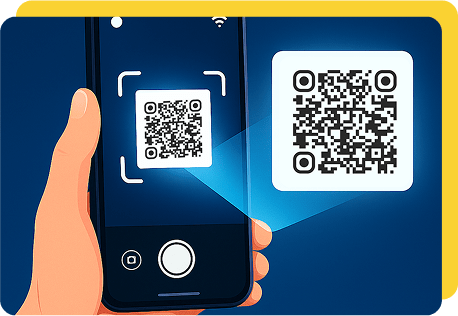

QR codes are now a common way to share digital information quickly. You can find them on menus, product packaging, tickets, posters, business cards, and printed documents, where they provide a simple connection to online content.
Reading one does not always require a dedicated application. A browser-based QRScanner can be useful when a QR code is already saved as an image on a computer or another device, allowing the encoded information to be identified without manually typing it.
What Is a QRScanner?
A QR scanner is a tool that detects the visual pattern of a QR code and decodes the information stored inside it. Depending on the code, the result may be a website URL, text, contact information, Wi-Fi details, or other supported data.
QR scanning is available through smartphone cameras, dedicated applications, and online services. The best option depends on whether you are working with a physical QR code or a digital image.
Simple Ways to Read QR Codes
There are several practical ways to read a QR code, depending on the device and type of code you have.
Use a Smartphone Camera
Modern smartphones often include QR recognition directly in the camera application. Point the camera toward a physical QR code and wait for the device to identify it.
This method is particularly convenient when scanning menus, posters, signs, or product packaging.
Upload an Image Online
If the QR code is already saved as an image, an online scanner can be a convenient alternative. This method works well with screenshots, photographs, downloaded images, and other supported files.
Simply open the scanner, select the QR code image, and allow the service to analyze the pattern. The decoded result can then be reviewed before you use it.
Use a Dedicated Scanning App
Some users prefer dedicated QR applications that provide additional features alongside basic scanning. These may be useful for people who scan codes frequently.
However, installing an application is not always necessary for occasional QR code scanning, especially when a suitable browser-based option is available.
How to Read a QR Code Online
The process of reading a QR code online is generally straightforward.
- Open a browser-based QR scanning service.
- Select the option to upload or scan an image.
- Choose a clear image containing the QR code.
- Wait for the scanner to decode the pattern.
- Review the information displayed.
- Follow the result only if it appears trustworthy.
The exact controls may differ between services, but the basic process remains similar.
What Can a QR Code Contain?
QR codes are capable of storing different types of information. Common examples include:
- Website addresses
- Plain text
- Contact details
- Email addresses
- Phone numbers
- Wi-Fi information
- Event details
- Product information
The scanner simply interprets the data that was encoded when the QR code was created.
Tips for Better QR Scanning
A clear image can make a significant difference when reading a QR code. Make sure the complete pattern is visible and avoid using severely blurred or distorted images.
If you are taking a photograph, use sufficient lighting and keep the camera steady. For saved images, use the highest-quality version available and avoid excessive cropping or filters.
If a code does not scan on the first attempt, try a clearer image before assuming there is a problem with the scanner.
Stay Safe When Reading QR Codes
A QR code can make accessing a website easier, but the destination is not automatically trustworthy. Malicious or misleading QR codes can direct users to phishing pages, fake websites, or unexpected downloads.
Before opening an unfamiliar link, examine the URL carefully. Be cautious if the destination does not match the source of the QR code or unexpectedly asks for passwords, payment details, or other sensitive information.
Basic Safety Practices
- Check unfamiliar URLs before opening them.
- Use QR codes from sources you recognize.
- Avoid entering sensitive information on suspicious pages.
- Do not download unexpected files.
- Keep your browser and device software updated.
Why Use an Online QR Scanner?
Online scanning can be especially helpful when you are working from a desktop or laptop. If a QR code is already available as a digital image, there may be no need to transfer it to a smartphone.
It can also be a convenient choice for occasional users who do not want to install an additional application simply to decode a QR code.
Final Thoughts
Reading QR codes is usually a quick process, whether you use a smartphone camera, dedicated application, or online service. The right method depends on the type of QR code and the device you are using.
For digital images, an online scanner can provide a simple way to decode the information directly through a browser. Whatever method you choose, review unfamiliar results before opening links or providing personal information.