
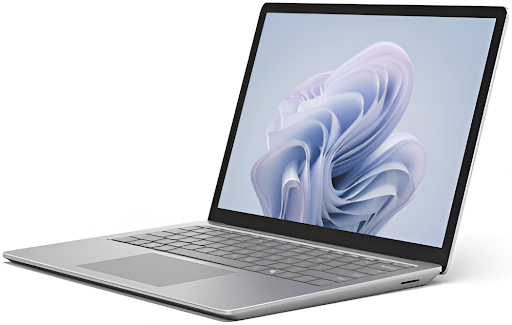

Modern work moves fast, and people expect technology to keep pace without adding friction. Professional teams join calls, switch tasks, review data, and respond to requests throughout the day. When devices interrupt that flow, even small delays can break focus and slow progress.
Businesses now look for systems that support steady work rather than demand constant attention. This is where a smart laptop fits naturally into professional environments.
A smart laptop uses intelligence on the device to understand how work happens during the day. It supports focus by keeping systems stable, responsive, and ready as needs change. Instead of pulling attention away, it works quietly in the background.
This approach helps professionals stay engaged with their work and confident in their tools. The sections below explain five clear ways a smart laptop helps reduce interruptions and supports smoother, more consistent work across busy schedules.
1. Smarter System Behavior Keeps Your Workflow Steady
A workday rarely follows a single pattern. Meetings, research, writing, and collaboration often blend together. A smart laptop recognizes these shifts and adjusts how the system behaves so work continues without disruption.
Because the system understands usage patterns, it avoids sudden slowdowns or unexpected changes. This helps users stay focused on tasks rather than on device management.For professionals, this means fewer distractions and more confidence in daily work. Tasks flow more naturally, and attention stays where it matters most. When devices work in harmony with people, productivity feels less forced and more sustainable.
A smart laptop becomes a trusted partner that helps work move forward with calm clarity and steady momentum.
How Steady Behavior Reduces Interruptions
- Keeps system performance balanced as tasks change
- Avoids sudden drops in responsiveness during active work
- Maintains stable operation during multitasking sessions
As a result, professionals spend less time reacting to system behavior and more time completing meaningful work.
2. Background Intelligence Reduces Unnecessary Alerts
Notifications play an important role in communication, but too many alerts break concentration. A smart laptop helps by managing background activity more thoughtfully.
Instead of allowing every process to demand attention at once, the system prioritizes what matters during active work periods. This approach supports a deeper focus without disconnecting users from important updates.
Ways Background Intelligence Supports Focus
- Limits interruptions during focused work sessions
- Keeps essential alerts visible without overwhelming the screen
- Reduces background noise from non critical system activity
With fewer distractions users stay engaged longer and complete tasks with greater confidence.
3. Faster Recovery Helps You Return to Work Quickly
Interruptions happen even in the best setups. Applications may close, networks may change or meetings may start unexpectedly. What matters most is how quickly work resumes.
A smart laptop helps users return to tasks without losing context. The system remembers active work states and supports smooth transitions back into productivity.
How Quick Recovery Reduces Disruption
- Restores work environments after brief pauses
- Keeps active applications ready when users return
- Reduces time spent reopening files and tools
This continuity allows professionals to move through the day without frustration and without losing momentum.
4. Adaptive Resource Use Supports Long Work Sessions
Long workdays test system stability. As hours pass, devices can slow down or demand manual adjustments. A smart laptop adapts resource use throughout the day to maintain consistent operation.
The system adjusts power and performance quietly based on real-time needs. This helps users avoid interruptions caused by overheating, sluggish response, or unexpected system behavior.
What Adaptive Resource Use Looks Like
- Maintains smooth performance during extended use
- Prevents sudden slowdowns under sustained workloads
- Supports reliable operation across changing tasks
Because the system adapts on its own, users stay focused without needing to intervene.
5. Built-in Intelligence Supports Smoother Collaboration
Collaboration often introduces interruptions through calls file sharing and switching between tools. A smart laptop helps manage these moments by keeping collaboration experiences stable and predictable.For professionals, this means fewer distractions and more confidence in daily work. Tasks flow more naturally, and attention stays where it matters most. When devices work in harmony with people, productivity feels less forced and more sustainable.
A smart laptop becomes a trusted partner that helps work move forward with calm clarity and steady momentum.
The system supports clear communication and smooth transitions between individual and shared work. This reduces friction during meetings and follow-up tasks.
How Collaboration Stays Interruption Free
- Keeps system responsiveness steady during calls
- Supports smooth switching between collaboration tools
- Maintains clarity and stability throughout shared work
Teams benefit from fewer technical disruptions and stronger engagement during collaborative moments.
Conclusion
Work feels better when technology supports focus instead of breaking it. A smart laptop plays an important role in creating that experience by reducing interruptions throughout the day. It quietly adjusts, manages background activity, supports quick recovery, and stays reliable during long sessions.
For professionals, this means fewer distractions and more confidence in daily work. Tasks flow more naturally, and attention stays where it matters most. When devices work in harmony with people, productivity feels less forced and more sustainable.
A smart laptop becomes a trusted partner that helps work move forward with calm clarity and steady momentum.