
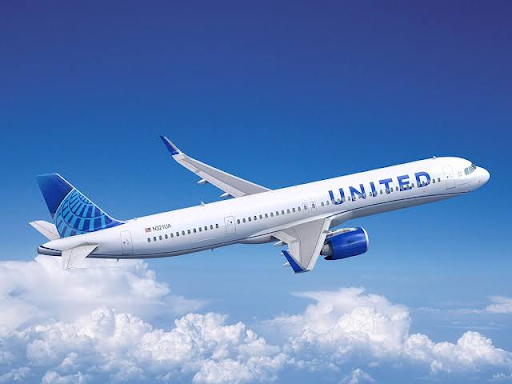

Connecting during flights is getting easy with United Airlines with the new Starlink Wi-Fi service. The Internet at fast speed enables browsing, messaging, streaming entertainment, playing online games and connecting while flying. The most attractive aspect about this is that United Airlines provides free Starlink Wi-Fi to MileagePlus members flying in planes with Starlink service.
Free Wi-Fi is not provided on all planes of United Airlines yet. There are some requirements to be fulfilled by passengers before using this service. This guide describes the process of using free Starlink Wi-Fi on United Airlines flights.
1. What Is Starlink Wi-Fi on United Airlines?
Starlink is an internet service based on satellites developed by SpaceX company. United Airlines is implementing this technology in its planes for providing passengers with fast and stable internet access during flights.
As opposed to conventional in-flight Wi-Fi service, Starlink operates using low Earth orbit satellites to provide internet connections in oceanic and remote regions.
The list of activities that United Airlines passengers can perform using Starlink includes the following:
- Internet surfing and use of social networks.
- Sending of messages and emails.
- Streaming of video and audio.
- Online gaming.
- Use of cloud-based applications.
- Connecting multiple devices.
As per the news released by United Airlines on October 15, 2026, Starlink technology has already been installed in 635 aircraft and on almost half of daily departures.
2. Do You Need a MileagePlus Account to Get Free Starlink Wi-Fi?
Absolutely. The passenger needs to be a member of the United MileagePlus program to take advantage of the complimentary Starlink Wi-Fi service.
Fortunately, becoming a member of MileagePlus does not cost anything. There is no need to buy a paid version of the program or any special Starlink subscription.
The steps below will guide you through the account creation process:
- Go to the official website of the airline.
- Locate the MileagePlus program registration section.
- Fill in the required data about yourself.
- Create your login details for the account.
- Finish the account creation process.
Remember your MileagePlus membership number and your account login details.
3. How to Get Free Starlink Wi-Fi on United Flights?
Connecting to the Starlink Wi-Fi connection is not complicated. However, make sure that your airplane has the Starlink connection first.
Connect to Starlink through the following steps:
- Board your flight in United Airlines.
- Switch on airplane mode on your phone, tablet, or computer.
- Activate Wi-Fi on your device.
- Choose the United Wi-Fi network that is available.
- Launch your web browser if the sign-in page does not launch automatically.
- Follow the prompts provided to log into the Starlink service.
- Enter your United MileagePlus credentials.
- Log into the service and begin using the internet.
4. How to Check Whether Your United Flight Has Starlink Wi-Fi?
Not all flights offered by United Airlines have Starlink connectivity. It is therefore necessary to confirm if your flight has Starlink connectivity.
There is an online Starlink Wi-Fi tracker offered by United Airlines, which allows customers to check if their upcoming flight has Starlink.
Here are the steps you need to take:
- Visit United Starlink Wi-Fi Tracker.
- Enter your flight number.
- Choose your travel date.
- Check if Starlink is available for your scheduled flight.
Starlink Wi-Fi tracker allows passengers to confirm if their scheduled flight has Starlink connectivity up to three days in advance of the scheduled departure time.
5. Is Starlink Wi-Fi Free on Every United Airlines Flight?
No. United Airlines is currently adding more Starlink connectivity to its planes.
Remember the following facts:
- Starlink is free of charge for qualified MileagePlus members.
- Not all planes of United Airlines are equipped with Starlink.
- Planes used for flights are assigned to them prior to departure.
- The traditional Wi-Fi from United Airlines could be paid on non-Starlink flights.
- Free internet access is possible only if Starlink is onboard.
If there is no Starlink on your plane, please consider the available internet connection and its price before buying it.
6. What Should You Know Before Using Starlink Wi-Fi?
Before accessing Starlink, there are certain things you need to be aware of in order to have an easy internet connectivity experience.
Charging the device: You need to charge your smartphone, tablet, or laptop before traveling.
Registration: You need to register yourself for the MileagePlus program before your travel day.
Compatibility check: You need to check whether the Starlink is compatible with the United tracker tool.
Download all the stuff: You need to download all the movies, songs, and documents required by you.
Having login credentials handy: You need to keep your login credentials handy at all times during log-in.
Conclusion
It’s not hard to get free Wi-Fi from Starlink aboard United Airlines if you have a MileagePlus account and board a plane that has access to Starlink technology. You may join MileagePlus for free, look up your flight using United Starlink Tracker, and connect to the on-board Wi-Fi.
Read Also: United Airlines Low Fare Calendar
The company keeps on deploying Starlink throughout its aircraft fleet to provide free high-speed Internet for an increasing number of passengers. Make sure your aircraft is equipped with Starlink before your next trip.