
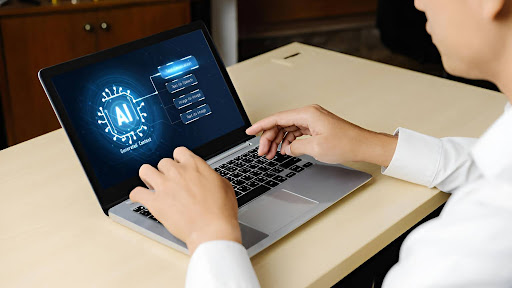

Remote and hybrid work have become the standard across modern organisations, yet many employees still face daily friction, such as disconnected conversations, overloaded tools, and constant context switching, which make remote days feel heavier than they should.
At the same time, managers want teams to stay focused, secure, and supported without adding complex new systems or overwhelming training. AI-powered laptops are emerging as a practical answer to these challenges.
By bringing intelligence directly onto the device, they streamline workflows, reduce manual effort, and adapt to individual working patterns from the moment they’re switched on. The result is a smoother, more empowered remote-work experience that benefits both employees and the business.
Let’s explore how these devices can solve common remote-work challenges straight out of the box.
1. Noisy, low-quality video meetings
Many remote workers join calls from homes, shared spaces, or on the road, where sound and lighting change all day. Background noise and poor video do not just look unprofessional; they also make every call feel more tiring.
However, modern AI laptop hardware now features dedicated processors that handle noise reduction and video optimization in real-time. Voices stay clear while traffic, keyboard sounds, and room echo fade into the background. The camera keeps faces bright and sharp, even in mixed light, so you and your colleagues feel closer and more engaged.
2. Scattered conversations and missed context
Remote work often breaks conversations into pieces across email, chat, and video platforms, which makes it easy to lose the full story. Over time, this constant hunting wastes hours and leaves people unsure about priorities.
An AI laptop can pull key points from calls, chats, and documents into simple summaries that live right beside the work. Team members see decisions and dates in clear language instead of reading every line again.
As a result, projects keep moving, meetings do not need to repeat old ground, and everyone feels more aligned.
3. Constant app switching and broken focus
Remote workers move from chat to slides to spreadsheets to CRM tools many times each hour. Every switch forces the brain to reset, which makes deep work rare and days feel longer than they should.
An AI laptop reduces this friction by learning which tools you use together and then arranging workflows in smarter ways. For example, the system can surface the right files and notes when a calendar event starts, without manual searching. It can also suggest focused blocks with muted alerts when it notices long stretches of shallow task switching.
Over time, these small improvements help turn scattered hours into solid, meaningful work.
4. Manual tasks that drain energy
Remote roles often include many tiny chores such as naming files, drafting routine replies, filling templates, and logging notes. None of these tasks requires deep skill, yet they still take time and mental effort away from strategic work. When you spend most of the day on this type of activity, motivation starts to fall.
On an AI laptop, built-in assistants can draft emails in the right tone, label files based on content, and turn rough bullets into clear text. Employees keep control and can edit every output, yet they start from a strong first version instead of a blank screen.
This shift gives teams more time for customer calls, creative planning, and problem-solving, which drives higher value for the business.
5. Data security fears outside the office
When staff work from many locations, businesses worry about sensitive data on home networks and shared spaces. People connect through public Wi Fi, open attachments from personal devices, and sometimes store files in local folders. Security policies try to cover every risk, yet strict rules can also slow work and cause frustration.
AI laptop models now blend strong security with smooth daily use. Many include hardware-level encryption, presence detection, and secure login with face or fingerprint. On-device AI can monitor risky behavior and flag issues early, without sending every action to cloud tools.
This balance helps IT teams sleep better while employees feel trusted instead of blocked.
6. Slow onboarding and weak device support
New remote hires often wait for help each time they hit a problem on their device. Small issues with apps, printers, or settings pile up and make the first weeks feel confusing and lonely. At the same time, support teams chase tickets across time zones and struggle to keep response times short.
Using an AI laptop can provide instructions on the most frequent tasks, provide shortcuts, and even resolve easy problems. Help is context-sensitive, whereby one encounters issues with a feature, reducing simple support requests..
7. Quiet burnout in remote teams
Remote schedules may blur the work and home line until one day there is no difference between them. You reply to messages too late at night, you do not even have actual breaks, and you have a heavy burden of the feeling that you should always be online.
An AI laptop will help you adopt healthier habits. The system is able to identify long periods of heavy usage and recommend a break, a walk, or an end-of-day summary.
It is also able to emphasize the focus time on the calendar on the important tasks, and this decreases the working hours and last-minute rush.
Quick wins with an AI laptop
- Shorter and clearer meetings, thanks to live notes and call summaries that everyone can trust.
- Stronger client presence on calls, due to smart noise reduction and polished video that works in real time.
- Deeper focus blocks, supported by smart app suggestions and fewer pointless switches between tools.
- Less time on routine writing, since the device helps draft emails, reports, and updates in a natural tone.
- Better protection of company data, with hardware-level security and local AI monitoring on every laptop.
- Faster onboarding and smoother daily support, because the laptop guides users through common steps and fixes.
- Healthier work rhythms, where prompts and patterns encourage balance instead of endless hustle.
Conclusion
Remote work will continue to evolve, yet one truth already stands out for modern businesses. The quality of each workday depends not only on policies and culture but also on the main device you use. Once your system becomes an AI laptop and comprehends the context, it will be helpful to humans, and remote work will be a bit of a load off and a bit of hope.
Companies that make such smarter choices send a strong signal to their staff that they are trusted, cared for, and committed in the long term. This support is demonstrated in small ways to employees through calls, focused time, and cross-time zone handoffs.
As your business moves through the next stage of remote and hybrid work, the right AI laptop can quietly stand beside every person and help each workday feel both productive and kind.