
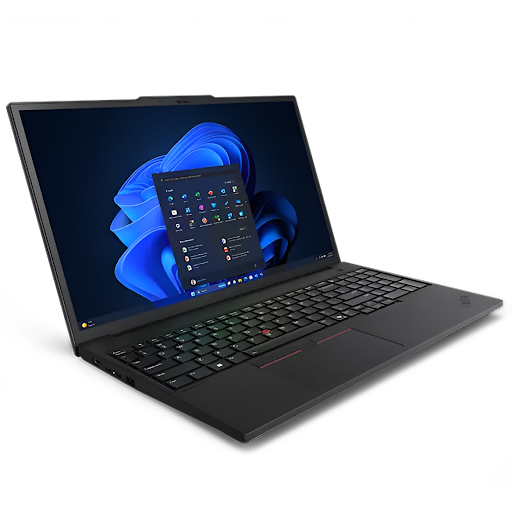

In modern work environments, speed, accuracy, and seamless collaboration are no longer optional; they are essential. Your teams rely on uninterrupted workflows, fast data access, and dependable performance to meet tight deadlines and demanding project requirements.
A mobile workstation already delivers the processing power and professional-grade reliability needed for design, engineering, data analysis, and content creation. However, true productivity is achieved when that performance is supported by the right accessories. Strategic add-ons such as advanced connectivity features, ergonomic input devices, expanded displays, and clean power solutions help remove daily friction from the work process.
By minimizing setup time, reducing physical strain, and eliminating common distractions, these accessories allow professionals to focus fully on high-value tasks and maintain consistent performance throughout the day.
1. Thunderbolt dock
A dock turns your mobile workstation into a full desk hub with one plug for power, screens, and devices. You connect monitors with a full keyboard, a mouse, and wired networks with a single cable, so you save time every day.
For professionals who rely on mobile workstations for design, data, and engineering work, this single-cable setup removes daily connection hassle and keeps work moving fast. Tests show that a Thunderbolt dock expands connectivity to pro displays and input tools while keeping a clean desk. This setup helps remote teams and office users who switch rooms and need fast setup with no fiddling.
What to look for
- Strong power delivery so your laptop charges while you work.
- Dual display support for sharp external monitors.
- Stable ports for Ethernet and high-speed storage.
2. Portable monitor
A portable monitor adds a second screen anywhere, like a client site or a shared space. Extra screen space makes multitasking easier with email dashboards or timelines on one panel and your main app on the other.
Portable models stay light and quick to pack, so hybrid workers can extend their mobile workstation without a heavy bag. Guides note that portable displays help with multitasking and travel-friendly setups for flexible teams.
What to look for
- A bright IPS panel for clear text and visuals.
- A simple single cable connection over USB C.
- A stand that supports both landscape and portrait modes.
3. Ergonomic keyboard
An ergonomic keyboard reduces strain and supports neutral wrist angles during long sessions. Better hand posture helps you type longer with fewer breaks and that lifts output across the week.
Expert roundups call out ergonomic and mechanical options that boost comfort and focus and that helps teams move faster. Pick a layout that feels natural so you keep accuracy high while you raise speed.
What to look for
- A shape that supports relaxed wrists and fingers.
- Soft yet precise switches for steady typing flow.
- Multi device pairing for quick swaps across systems.
4. Precision mouse
A precision mouse gives smooth control on many surfaces and helps you move through large files with ease. You pan 3D views, you scrub timelines and you move across wide monitors with less strain on your arm. Reviewers praise advanced mice for accurate tracking on glass and for programmable buttons that cut repetitive clicks. Those small wins stack up across hours and that builds a strong daily productivity boost.
What to look for
- Any surface tracking and long battery life.
- Custom buttons for macros and app shortcuts.
- Quiet clicks that keep shared spaces calm.
5. Monitor arm
A monitor arm frees desk space and sets your screen at a healthy height to protect your neck and shoulders. You move the display with light force, so you switch from writing to reviewing drawings without a long pause. Top picks handle heavy panels and offer tilt and rotation so teams get a clean and flexible desk. Better posture and a clean desk help people stay on task longer with less pain at the end of the day.
What to look for
- Strong build with smooth movement under load.
- Full tilt and rotation to match many tasks.
- Cable routing to reduce clutter behind the screen.
6. Wireless charging and power
A wireless charging stand cuts cable mess and keeps phones powered and ready for calls or 2FA prompts. Multi device chargers power your phone, your earbuds and your watch in one place and that saves desk space. Well-rated stations offer fast charging and stable stands so devices stay in view for quick checks. Clean power makes your desk look tidy and it reduces small tasks that break your focus.
What to look for
- Support for fast charging with clear status lights.
- Space for phones and wearables in one base.
- Safe power control that stops overcharging.
7. Conference audio
Clear audio builds trust on calls and cuts time lost to repeats and misheard updates. A compact conference speakerphone delivers a plug-and-play setup and works with common meeting platforms with no extra drivers. Teams in shared rooms also benefit from noise control headsets that block office sounds and keep voices clear. Strong audio helps you share updates fast, and it keeps clients engaged through long sessions.
What to look for
- Wide app support across Zoom Teams and Skype.
- Easy USB or Bluetooth connection with quick pairing.
- Echo and noise control for busy rooms.
Conclusion
Work moves quickly, and professionals need devices that support their pace without creating friction. By adding these seven essential add-ons, you enable your mobile workstation to perform at its full potential, creating a work experience that feels efficient, organized, and in control from the start of the day to the end.
Your hands remain comfortable during extended sessions, your communication stays clear in every meeting, and your screens provide the space you need to focus with confidence. Delays reduce as your setup works seamlessly with your workflow.
As a result, you deliver work on time with greater accuracy, fewer revisions, and stronger confidence in every outcome.